
Settings
Open Settings from the button at the top right of Home. Changes apply on the next tick, and time already counted is kept.
On this page
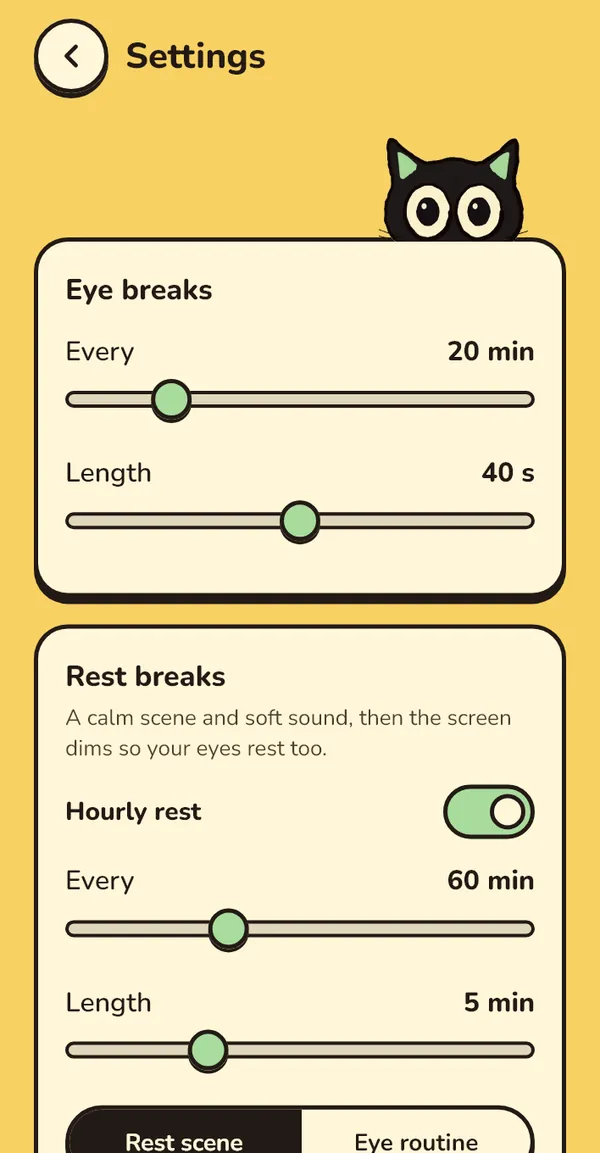
Eye breaks
| Setting | Range | Default |
|---|---|---|
| Every | 10–60 min of screen time, in 1 min steps | 20 min |
| Length | 20–60 s, in 5 s steps | 40 s on Windows, 20 s on phones |
Rest breaks
On Windows the card is called Rest breaks: "A calm scene and soft sound, then the screen dims so your eyes rest too." It has two tiers, each with its own switch.
| Setting | Range | Default |
|---|---|---|
| Hourly rest › Every | 30–120 min, in 5 min steps, or off | 60 min |
| Hourly rest › Length | 3–10 min, in 1 min steps | 5 min |
| Hourly rest › type | Rest scene | Eye routine | Rest scene |
| Longer rest › Every | 90–240 min, in 10 min steps, or off | 120 min |
| Longer rest › Length | 10–15 min, in 1 min steps | 10 min |
| Longer rest › type | Rest scene | Timer only | Rest scene |
Eye routine is a guided set: a far look, a full blink set, a focus shift and an eye stretch. Timer only is a dim screen that says "Stand up. Look out a window, or step outside."
On phones: Hourly prompt
Android and iOS have one tier, the Hourly prompt: a switch, Every (30–120 min, default 60), Length (3–10 min, default 5), and a type: Rest scene or Sound only. Sound only is the dark "Phone down. Close your eyes." screen with the sound. Phones have no Longer rest.
Scene
The Scene row opens a picker ("Pick the scene for your rest breaks."):
- Shuffle (default): a different scene each time, never the same one twice in a row.
- Lawn nap: a sunny lawn in dappled shade. The cat is asleep. Birds and insects.
- Tree nap: the cat up in a tree. Coming soon
The row is dimmed when no rest tier uses a scene.
Sound
Nature (default) | Music Coming soon | Off. Each scene has its own sound. Preview a rest break plays one right away with your current settings.
How firm breaks are
| Mode | What the app says | Default on |
|---|---|---|
| Gentle | Skip any time. Snooze 5 min as often as you like. | Android, iOS |
| Balanced | Skip after 5 s. Snooze 1 or 5 min, twice in a row at most. | Windows |
| Strict | No skip until the timer ends. Hold "I need to go" for 3 s to leave. |
Rest breaks only ever offer a 5-minute snooze. In Strict, eye breaks can't be snoozed and rest breaks can be snoozed once. iOS shows only Gentle for now: "iOS uses Gentle for now."
Exercises
| Setting | What it does | Default |
|---|---|---|
| Squeeze step | "Recent eye surgery or glaucoma? Turn off squeeze." Off replaces the squeeze with "Keep them closed." | On |
| No far view | Use eyes-closed rests instead of far looks. | Off |
| Night window | Between these times, eye breaks are eyes-closed rests only. Start and End open a time picker. | 21:00–06:00 |
| Sound cues (Windows) | Soft sounds tell you when to close, open and look. | On |
| Hear the sounds (Windows) | Plays each cue: Close your eyes, Open your eyes, Squeeze, Keep them closed, Blink, Look left, Look right, Look up, Look down, Back to centre, Look far away, Look at your thumb, Stand up and stretch, Next step, Break done. | |
| Haptic cues (phones) | A soft buzz when a step ends. | On |
The 90-second full blink set comes three times a day, at 10:00, 14:00 and 18:00. On Windows it's added to the next eye break; on phones it's offered: "Full blink set, 90 s?" with Start or Not now.
What counts (Android)
- Whole phone (default): all screen-on time counts.
- Only the apps I pick: needs Usage Access. Pick apps opens "Apps that count": time in these apps counts toward your next break.
- Hold breaks in these apps: "Breaks wait while one of these apps is open." Starts with Google Maps, Waze, Google Camera and the Google dialer.
- Open Usage Access appears when it isn't granted yet.
Tracked apps (iOS)
Check the apps whose time should count: Instagram, YouTube, TikTok, X, Reddit, Facebook, WhatsApp, Threads, Safari, Other. Safari and Other say "Swipe back after breaks." Each one needs two Shortcuts automations; Shortcut setup guide walks you through them (also in the iOS guide).
Appearance
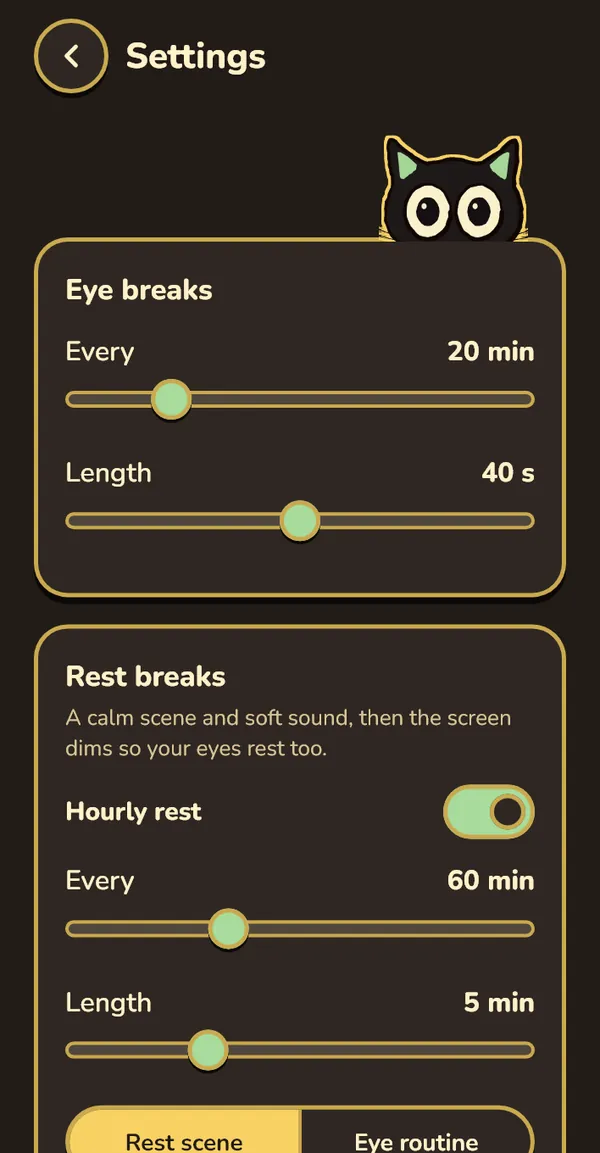
Sunny (default) | Night | System. Night is a cocoa background with yellow outlines and a yellow keyline around the cat. System follows your device's light or dark setting.
Start with Windows
"Opens quietly in the tray when you sign in." Shown only on Windows. See Start with Windows.
Pausing
Pausing isn't in Settings. On Windows use the tray (Pause 30 min, Pause 1 hour, Pause until tomorrow, Resume) or Home ("Pause 30 min", "Pause 1 hour", "Until tomorrow"). On Android the ongoing notification offers Pause 1 h.
Resetting
There's no reset button in the app yet. To start over, quit Blink Blink and delete its data: see Reset everything.